Using the console
A walk through the console at <public_url>/ui/, on the Quickstart's demo with an OpenBao beside
it for references. What the console is and how to configure it: Console.
Signing in
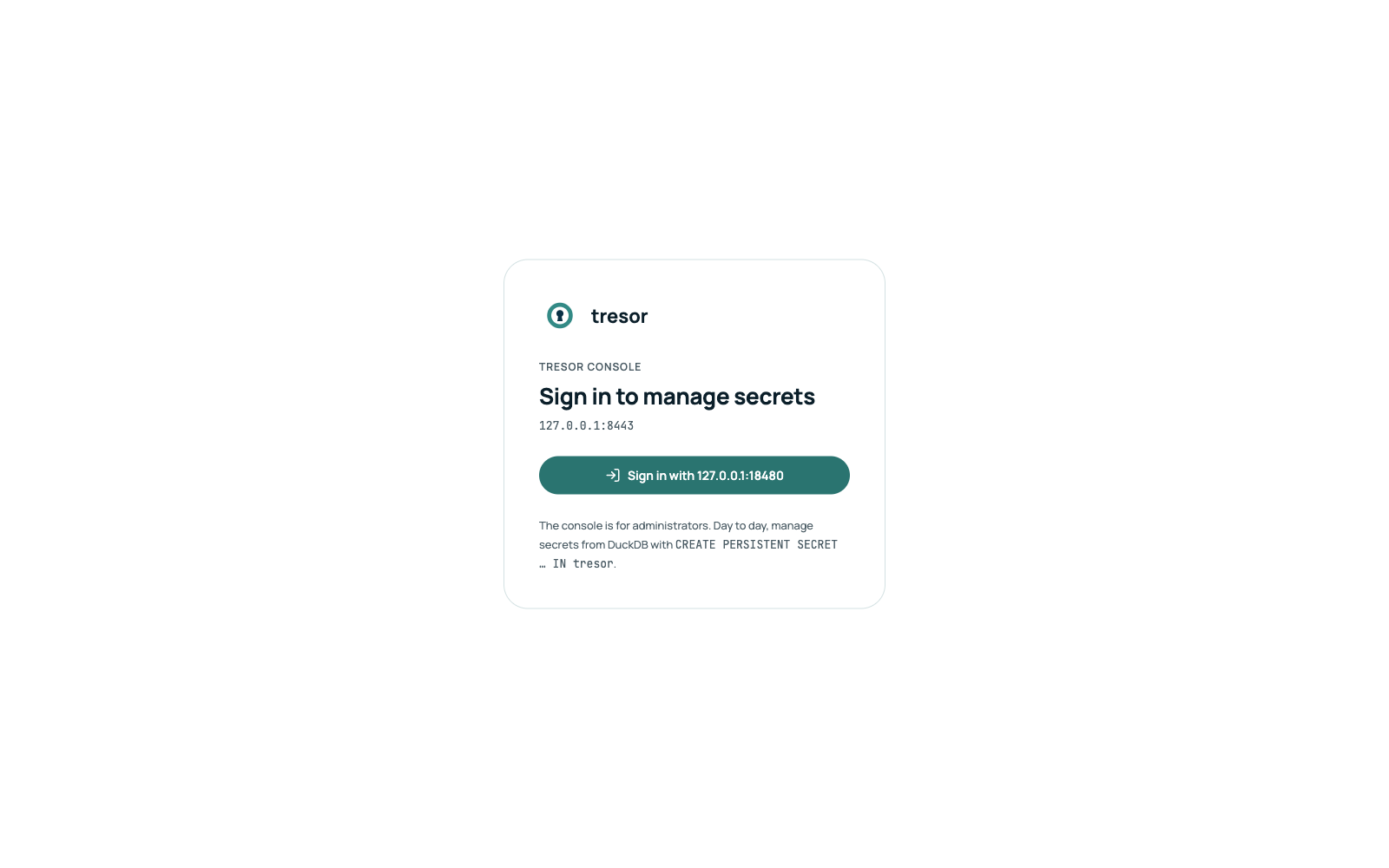
Sign in with … opens the identity provider's login (Authorization Code with PKCE). The console keeps the token in memory only; a reload in the same tab signs in again without a click.
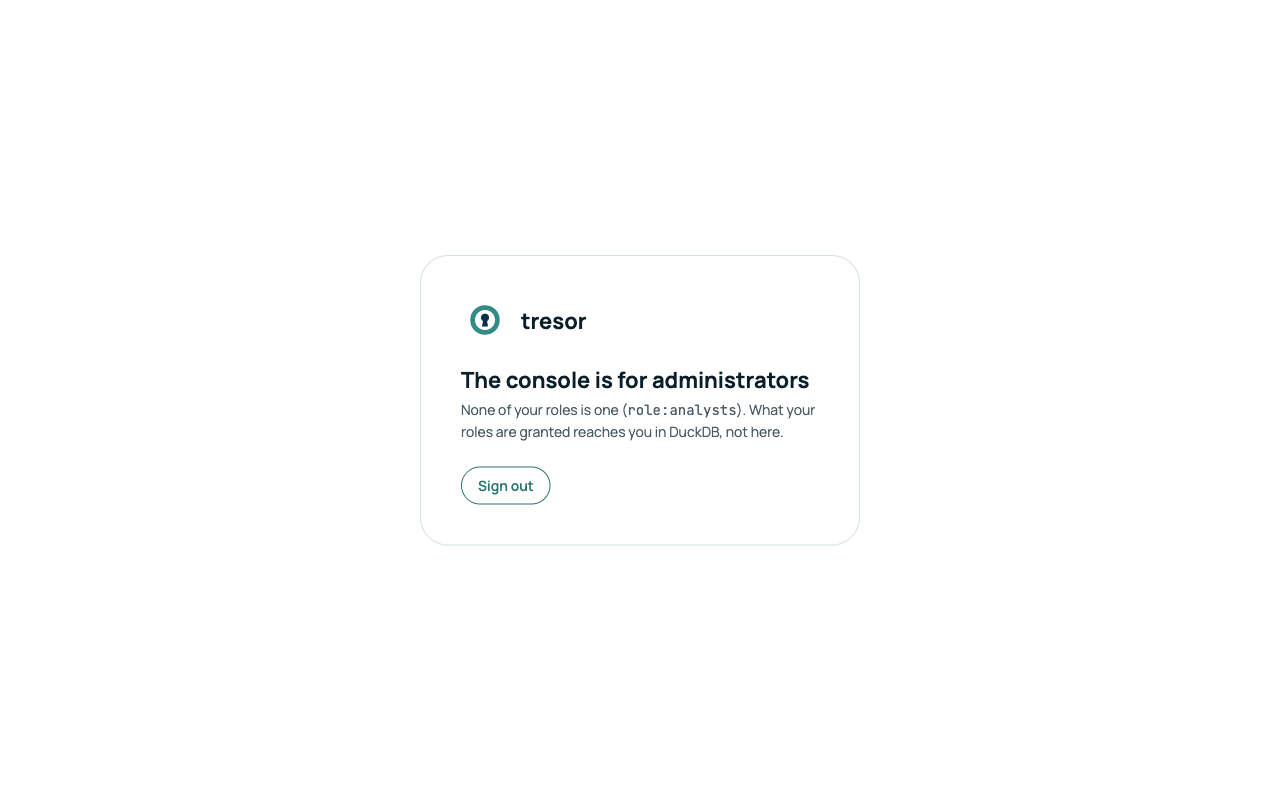
The console is for administrators (policy.admins). Anyone else is told so and sees nothing - what their roles
are granted reaches them in DuckDB:
Secrets
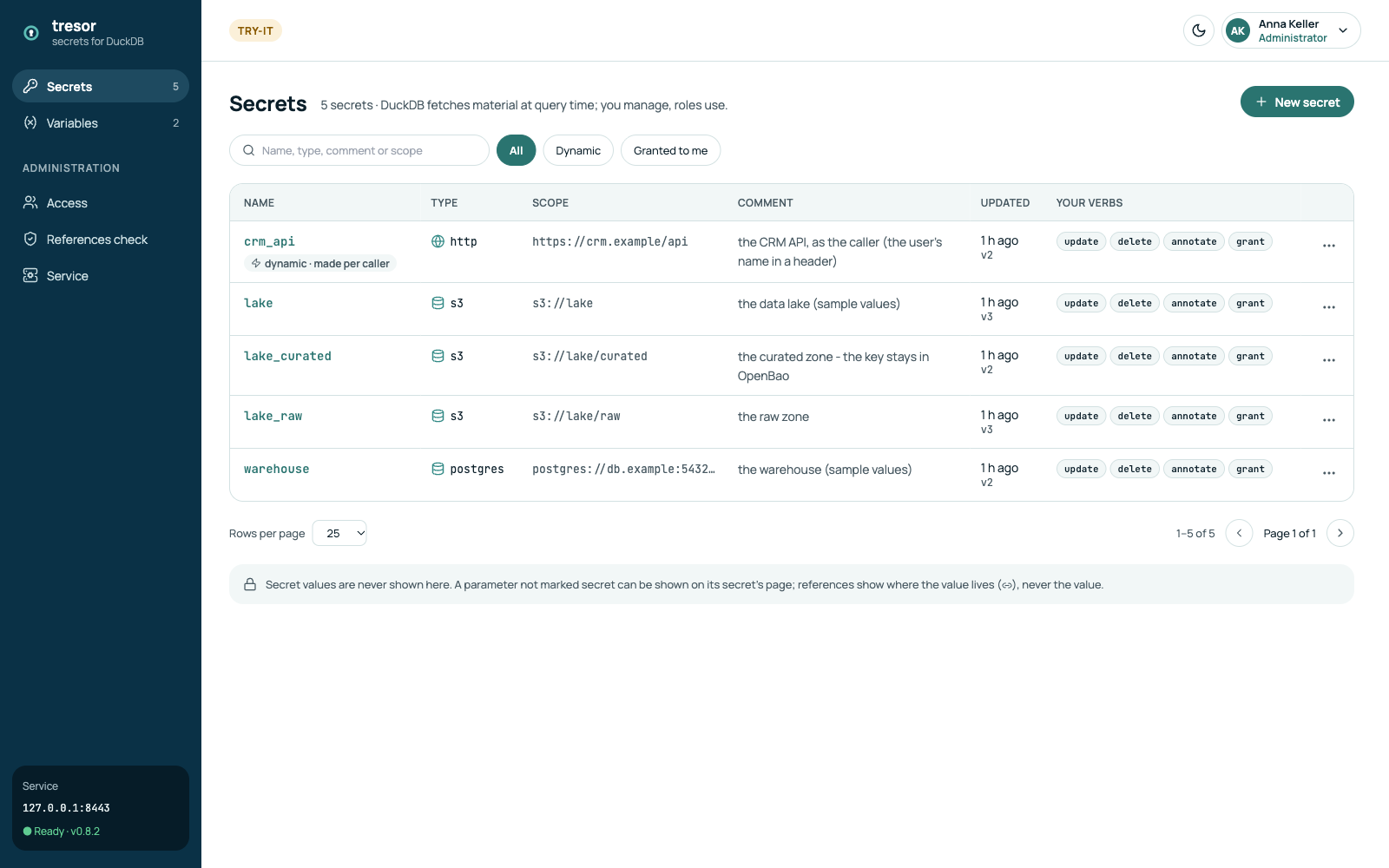
- Search by name, type, comment or scope; Dynamic shows the secrets made per caller
(generated parameters); Granted to me the ones your own roles may use - an administrator holds
no
useby being one. - The ⋯ menu of a row opens, replaces or deletes it. A delete asks for the secret's name.
A secret's parameters
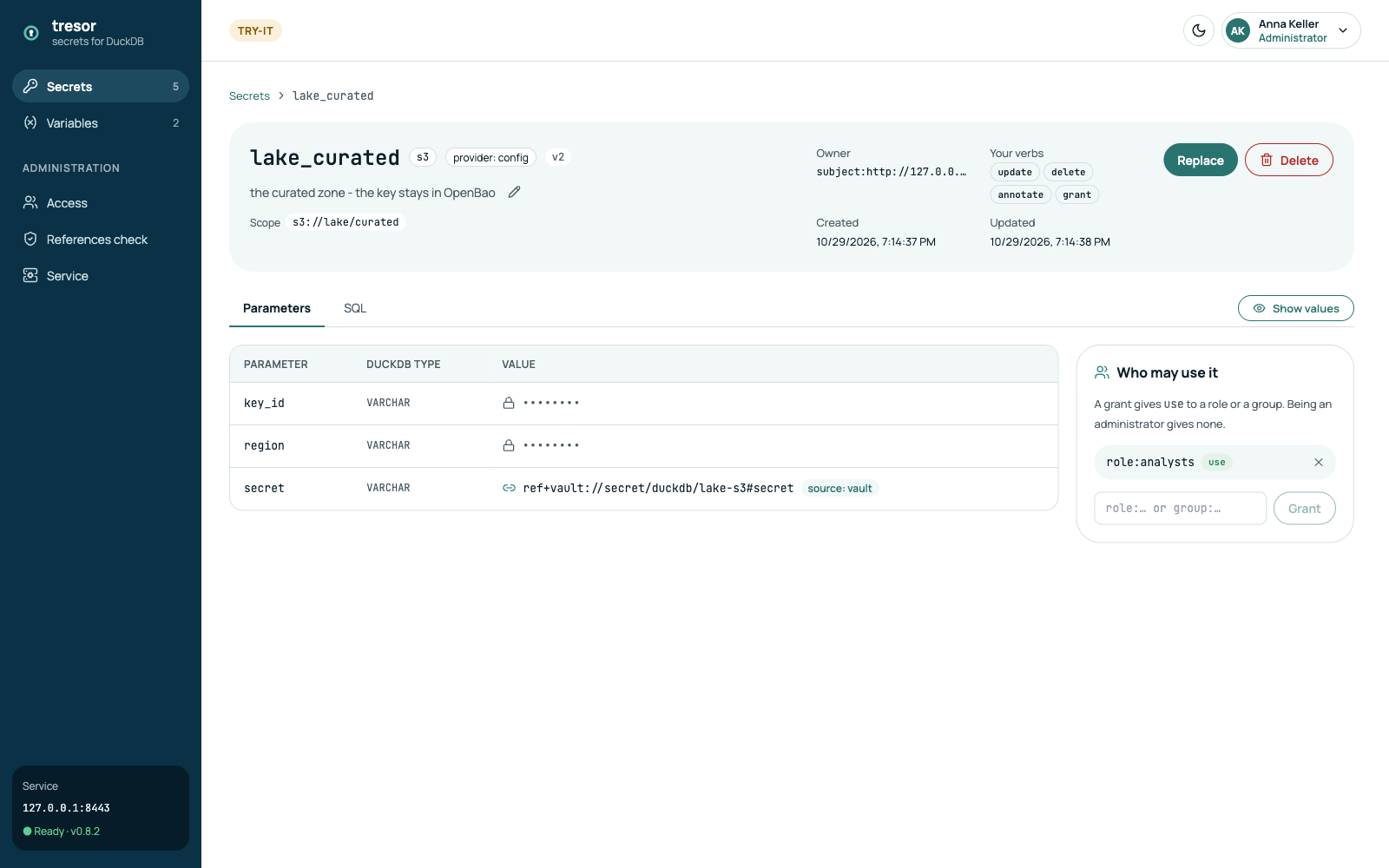
- A secret value (in
redact_keys) is never shown, here or anywhere: it is kept or set anew. - Other values are hidden until Show values - and each such read is in the audit.
- A reference (
ref+vault://…,ref+azkv://…) is shown as written, with its source; the value stays in the vault and is read at each fetch. - SQL shows the statement the secret amounts to, secret values masked.
Creating a secret
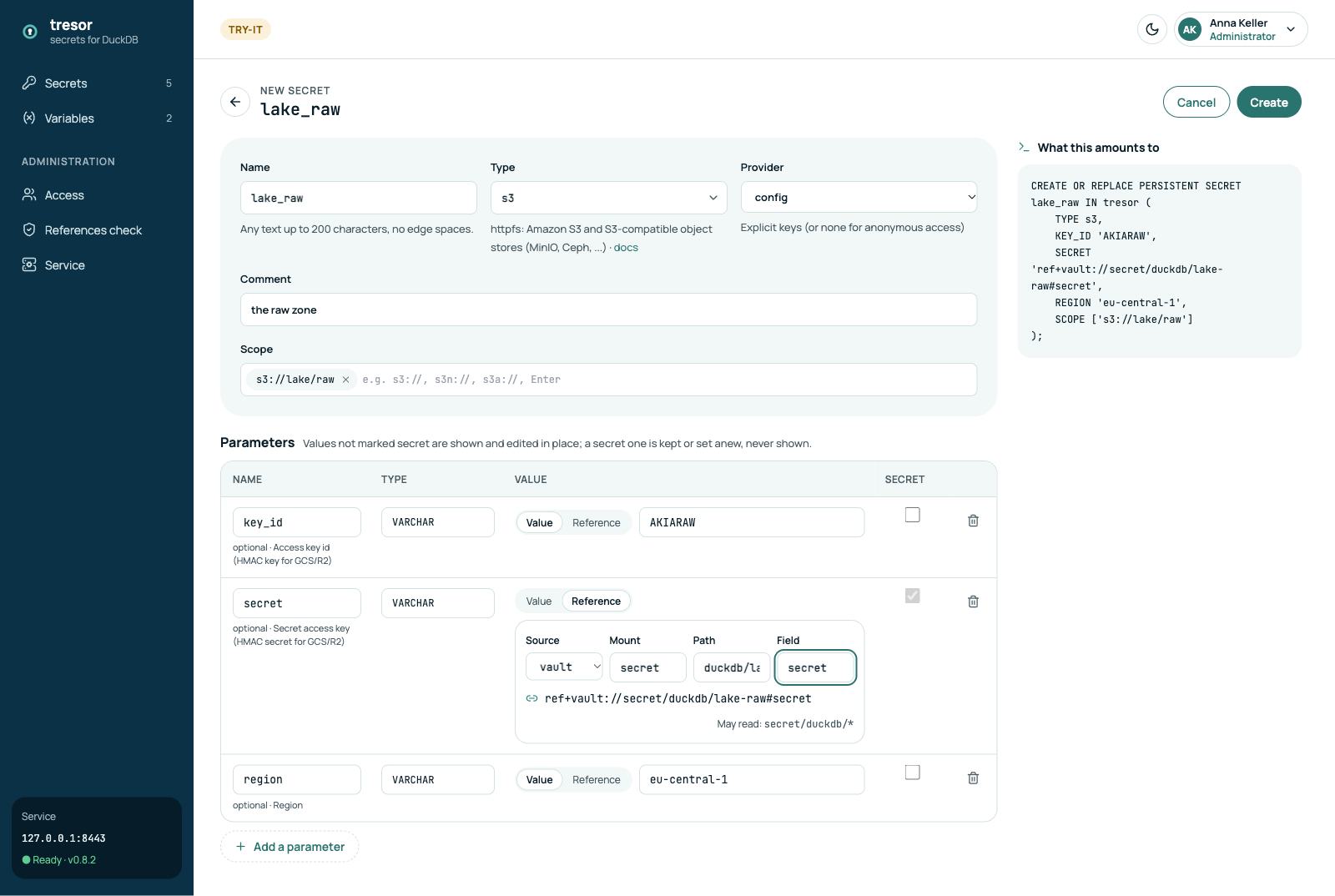
- Type is searched over DuckDB's extensions' secret types; the type's template fills its parameters, the sensitive ones marked secret.
- A parameter's value is typed, or a Reference: pick the source, its parts, and the console shows where the
source may read (
material.*.allow) - a reference outside it is refused. - The scope is what DuckDB matches the secret by (
s3://lake/raw). - What this amounts to is the
CREATE PERSISTENT SECRETstatement, live.
Replace later keeps what you leave untouched - a secret value too - and saves a new version; if someone saved meanwhile, the console says so and carries your edit onto theirs.
Who may use it
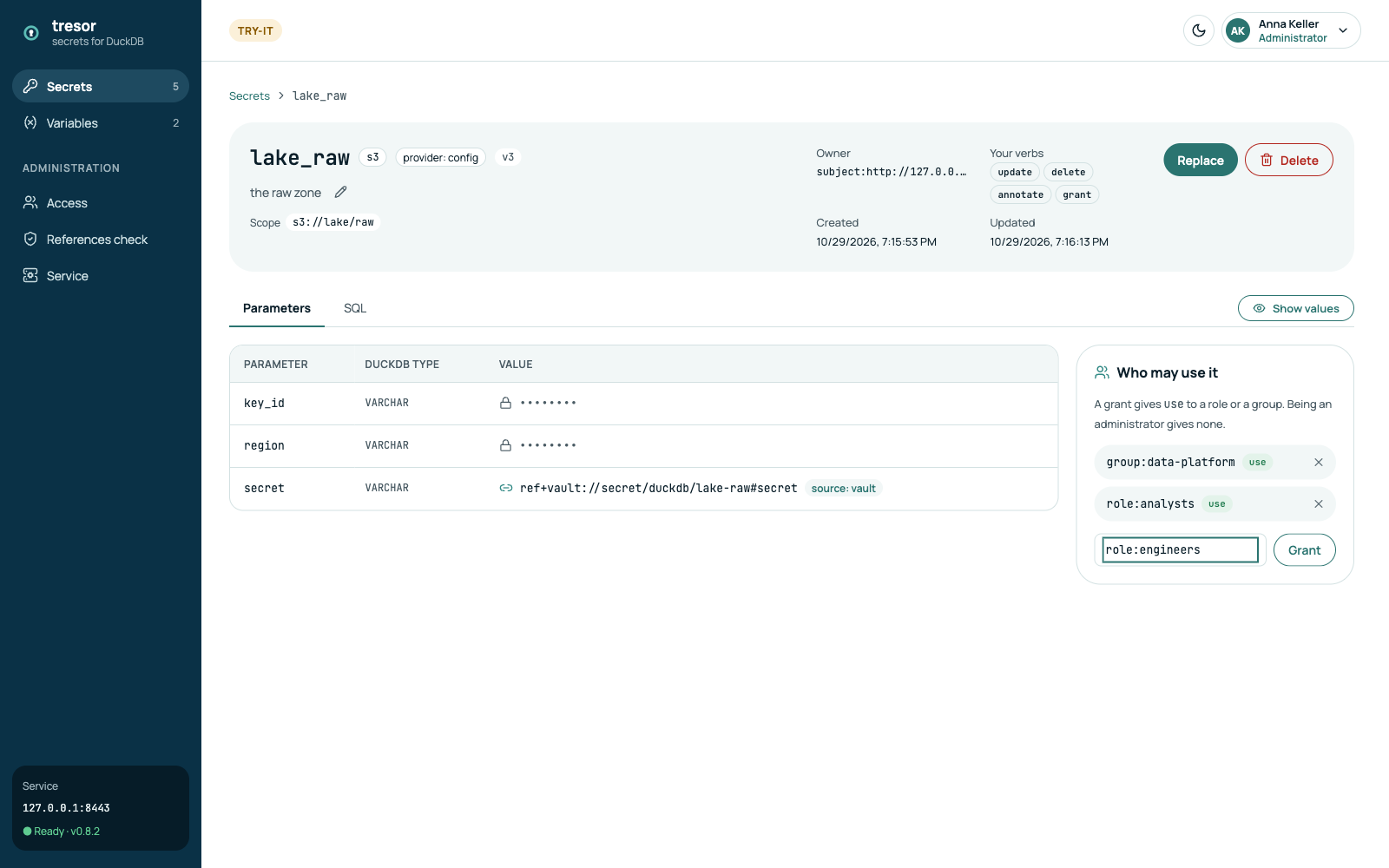
A grant gives use to a role (role:<name>) or a group (group:<name>) of the identity provider - never to a
person. Grant writes it at once; × revokes it, and the next query in a DuckDB of that role no longer finds the
secret.
Access: by role or group
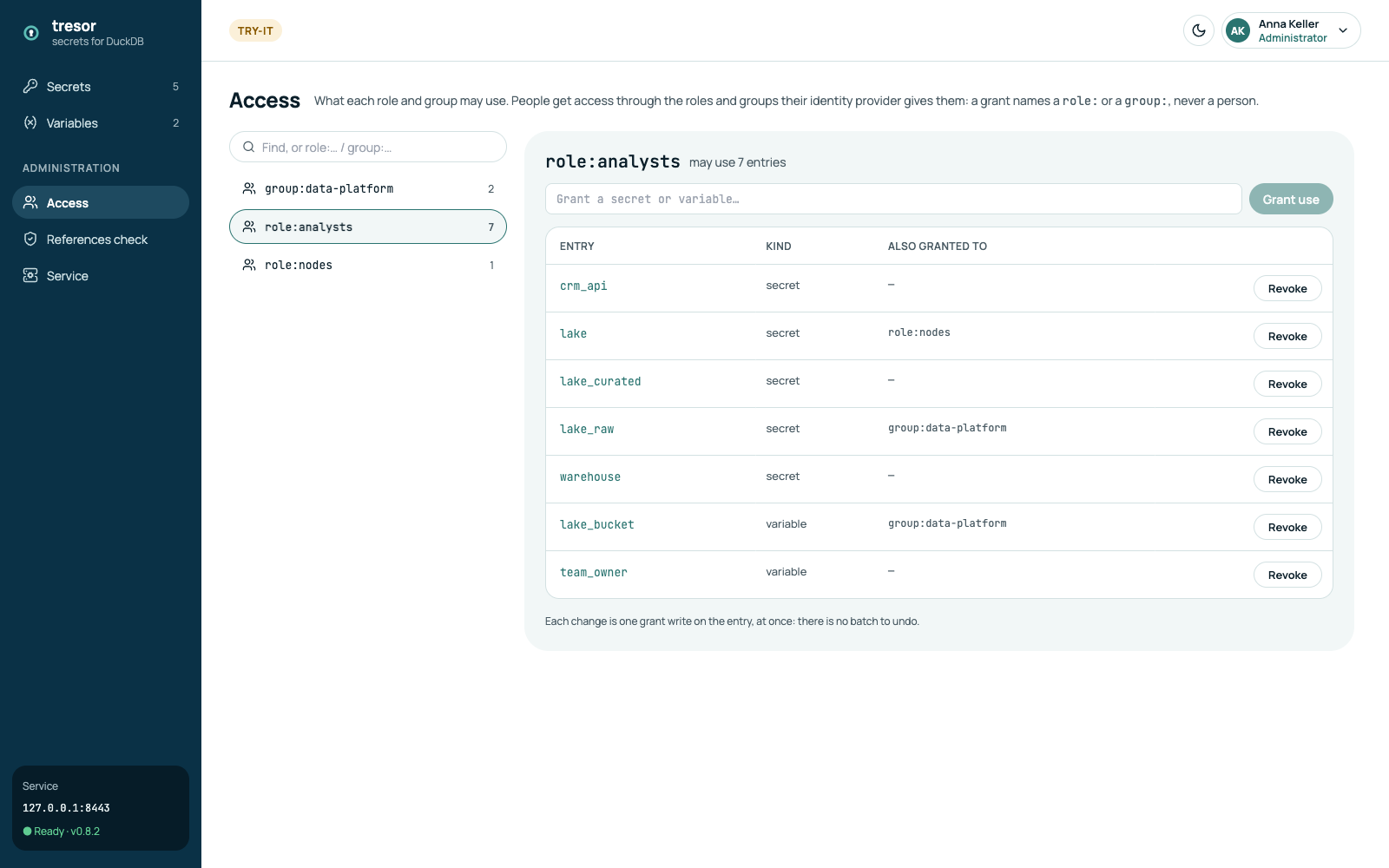
Access turns it around: pick a role or a group and see every secret and variable it may use, grant it another
one, or revoke. The page's address (?principal=role:analysts) can be shared.
References check
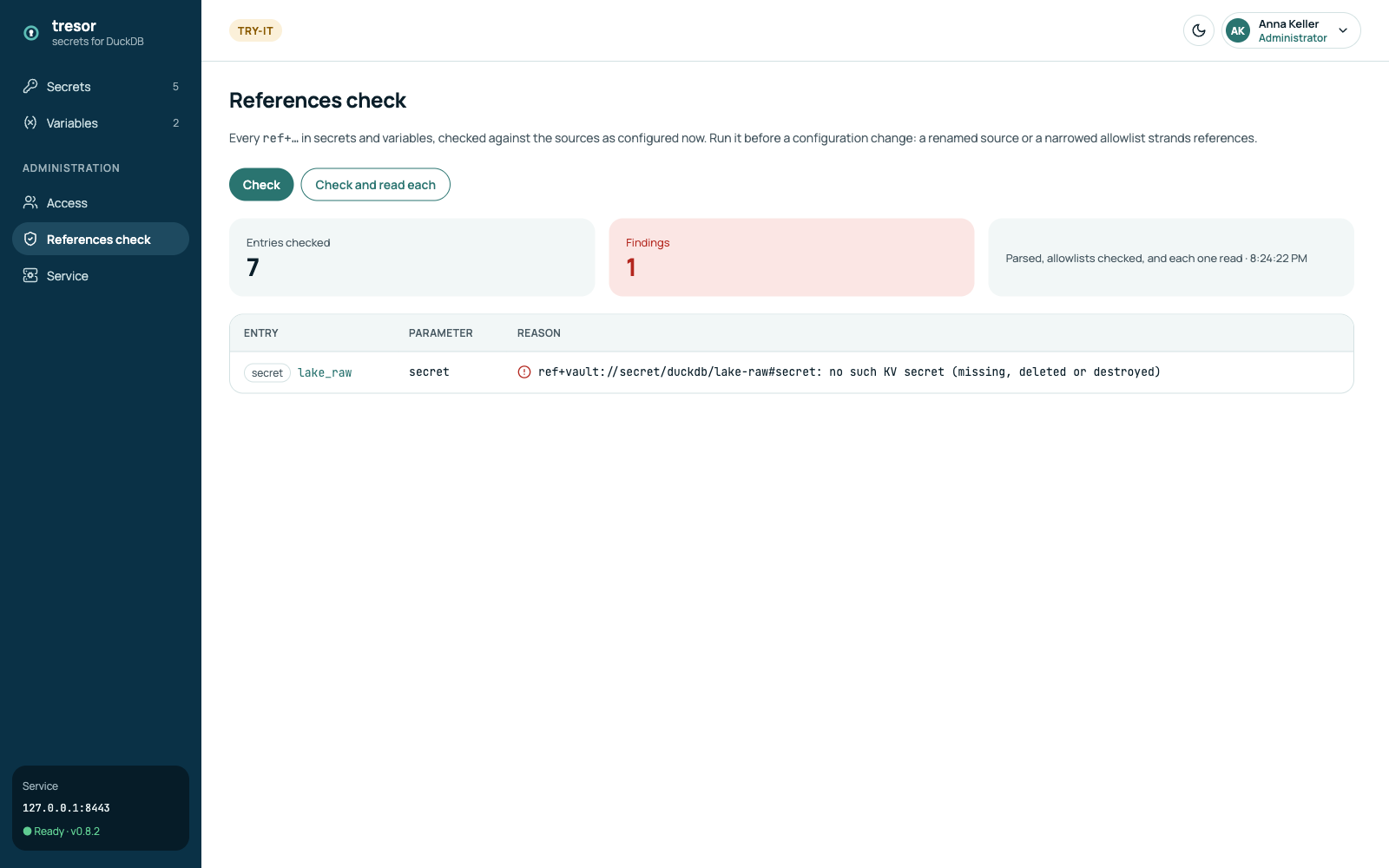
Every ref+… in secrets and variables, checked against the sources as configured now - Check - or also read
from the vault - Check and read each. Run it before a configuration change: a renamed source or a narrowed
allowlist strands references. Here a reference points to a path that is not in OpenBao.
Variables
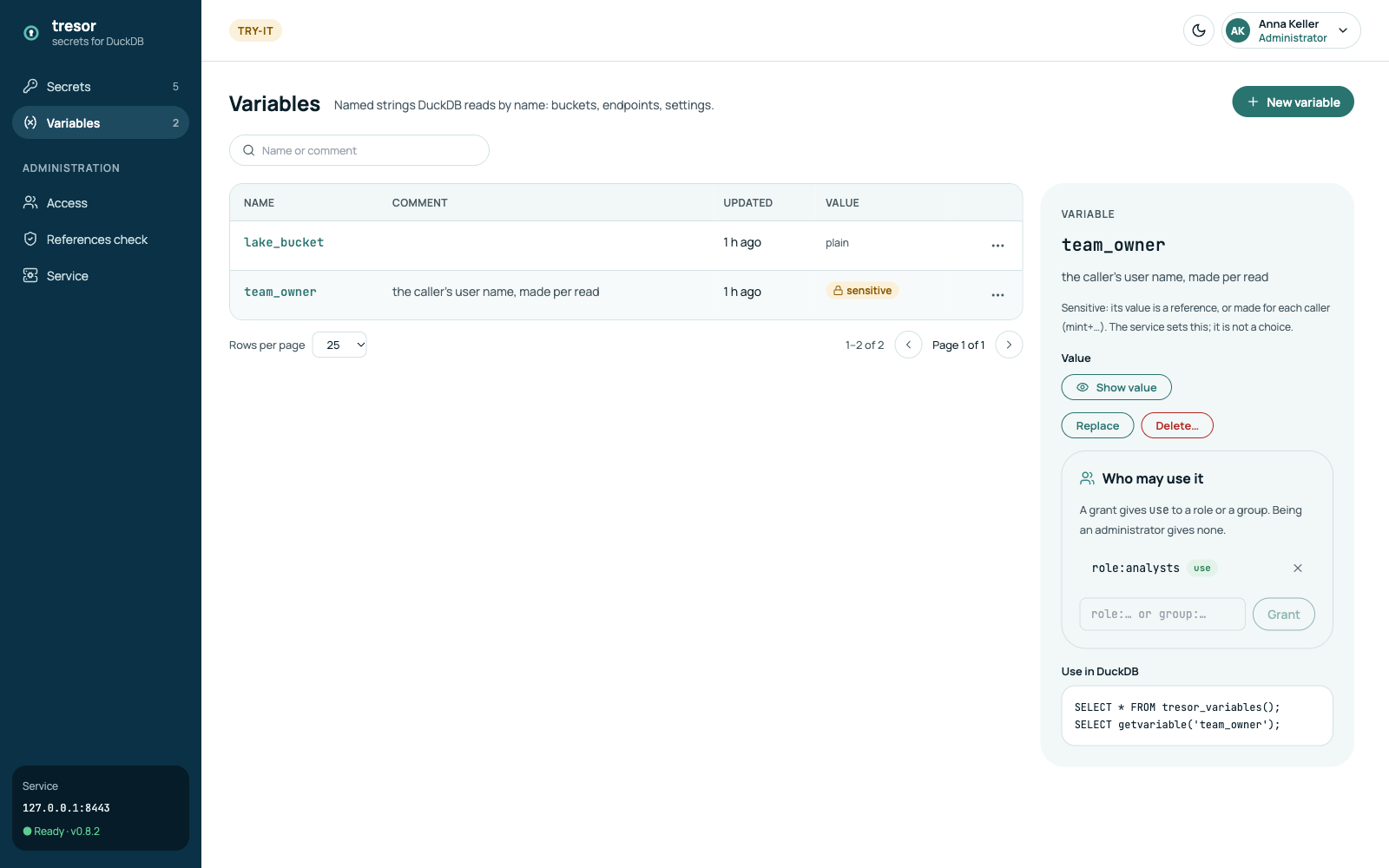
Named strings DuckDB reads with getvariable('name'): buckets, endpoints, settings - granted like secrets. A value
can be plain, a reference, or made per caller (mint+claim://preferred_username: Variables).
Service
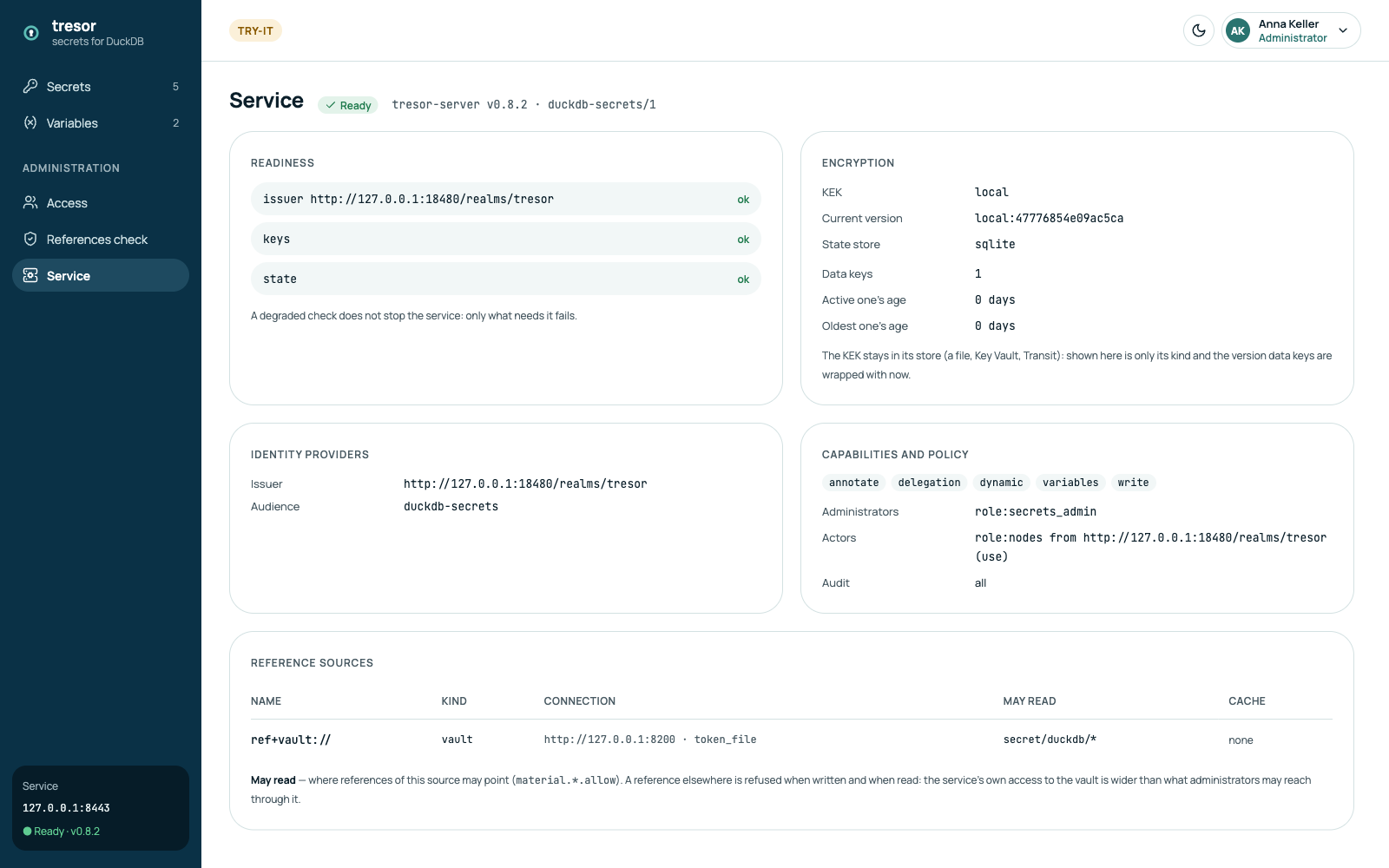
What the service runs with, read-only: each readiness check; the KEK's kind and current version, the data keys and their age (Data keys); the identity providers; the capabilities, the administrators and the actors; the reference sources and where each may read.
Signing out
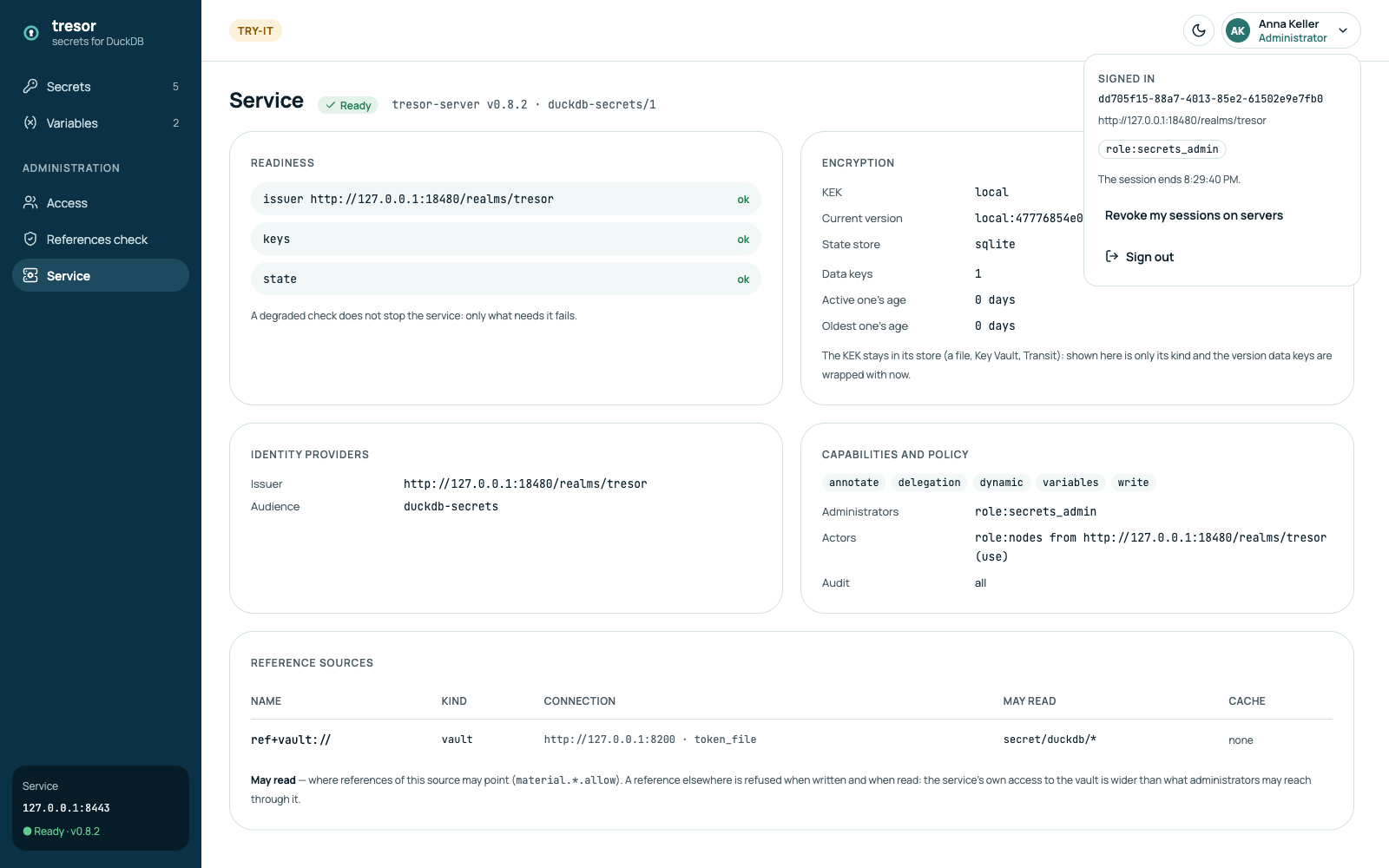
The account menu shows who is signed in (the name, the issuer, the roles) and when the session ends.
- Revoke my sessions on servers ends every session a server holds for you (delegation).
- Sign out ends the session at the identity provider too.
When the session ends while you edit, the console says so and signs you in again in a popup - the edit is kept.